Getting started
The layout
The rail on the left edge of every page holds the places you go.
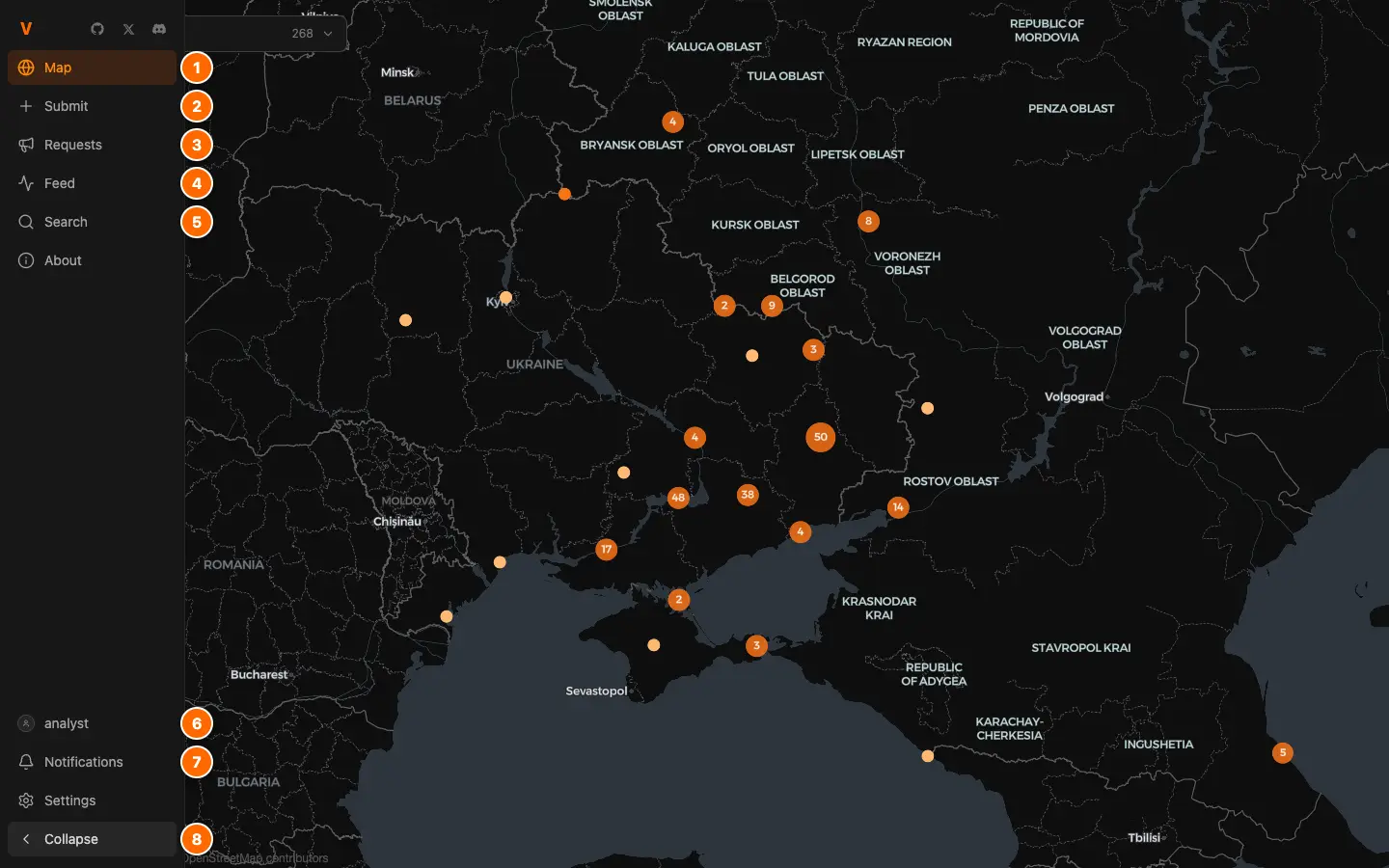
- 1
Map: every located event, as a pin.
- 2
Submit: a geolocation, a request, or an import from X.
- 3
Requests: footage nobody has placed yet.
- 4
Feed: what the analysts you follow publish.
- 5
Search, then About, which holds the guides.
- 6
Your profile, with your Detections queue.
- 7
Notifications, then Settings.
- 8
Show or hide the labels.
On a phone
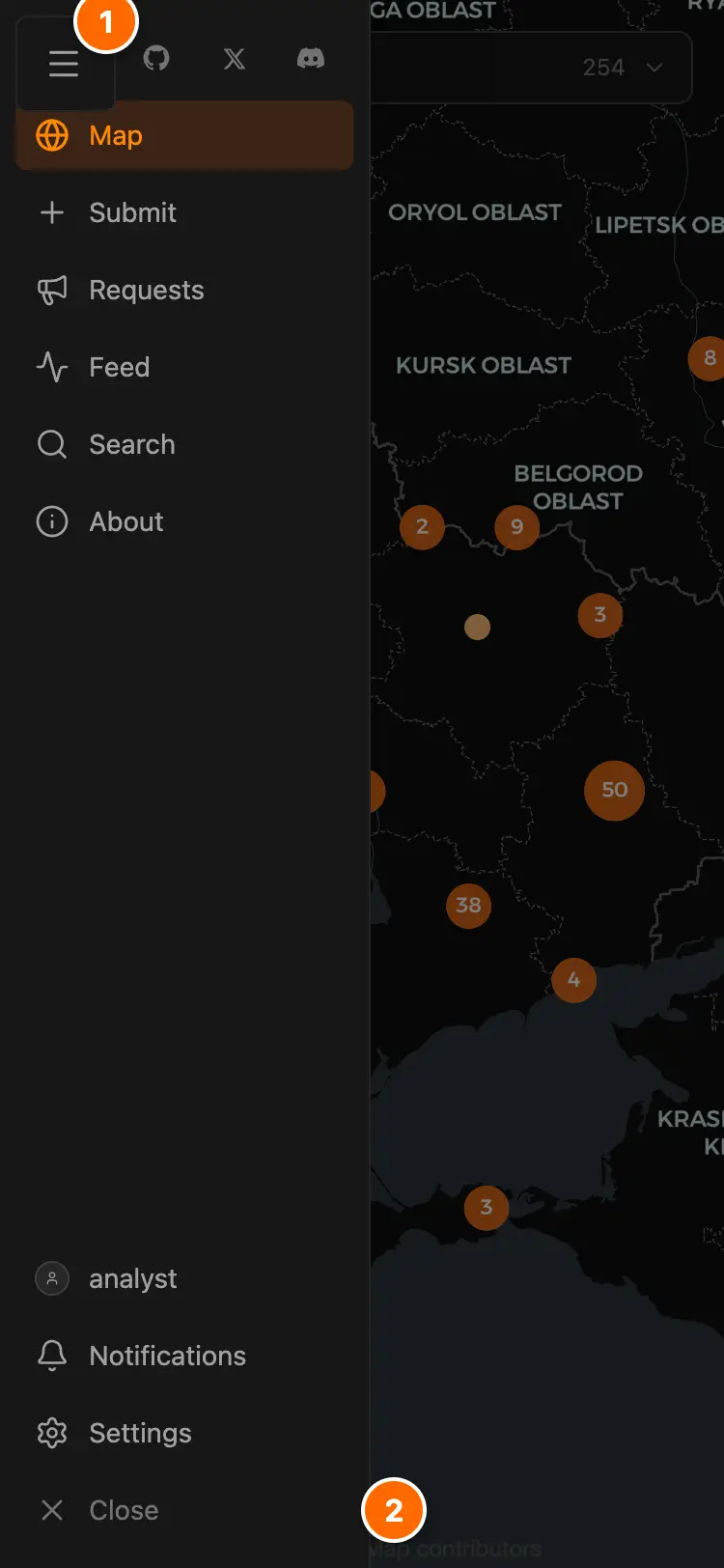
- 1
Menu opens the rail as a drawer.
- 2
Close, or a tap outside, shuts it.
Reading a geolocation
Every event page has the same parts, and the methodology guide shows how to build its proof.
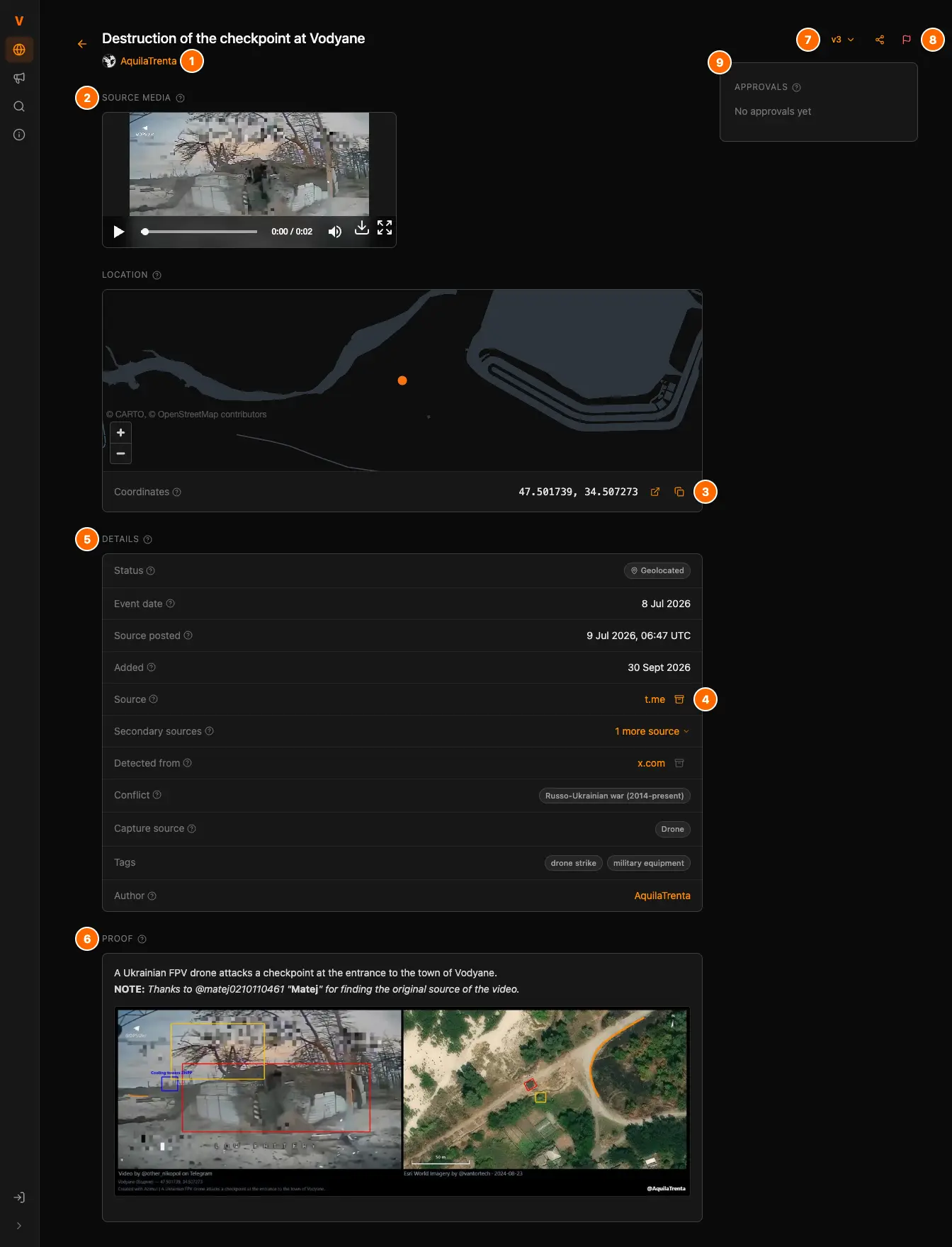
- 1
Byline: the analysts credited, owner first.
- 2
Source media, stored on Vidit so it outlives the post.
- 3
Coordinates: open them in Google Maps, or copy them.
- 4
Source. An orange archive mark opens its stored copy.
- 5
Details: status, dates, conflict, capture source, tags.
- 6
Proof: the analyst's evidence for the location.
- 7
Versions: open an earlier version or the full history.
- 8
Share the event, or report it.
- 9
Approvals: who backs the current version.
The statuses
Every event carries one status, so you know what you are reading.
- Geolocated
- An analyst placed it and stands behind it.
- Detected
- Machine-read from an analyst's post on X, not yet vouched for.
- Requested
- Footage nobody has placed yet, on the Requests board.
- Closed
- A withdrawn request, a rejected detection, or a retracted geolocation.
From detection to geolocation
- 1
An import puts it on the map and in your Detections queue, on your profile.
- 2
You check the coordinates, the source, the proof and the date.
- 3
Only you publish it: Submit makes it a geolocation under your name.
Bringing your work in
The import guide says what makes a detection and covers each way in.
Working with others
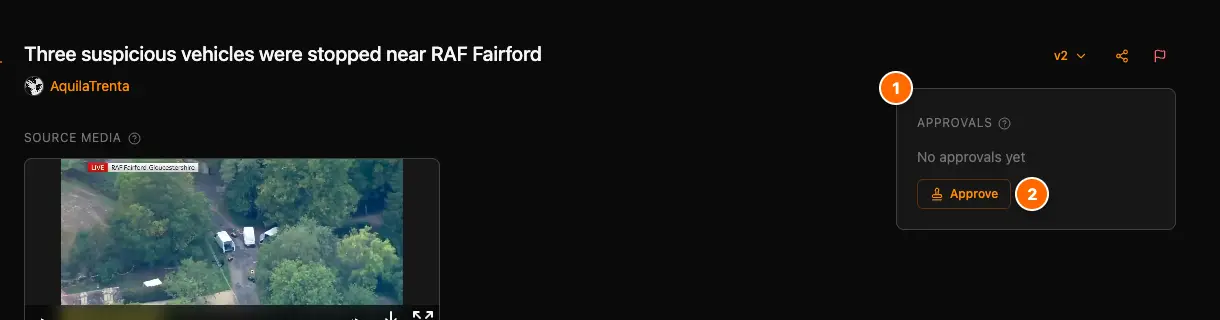
- 1
Each stamp backs the current version.
- 2
Approve adds your stamp.
Your Feed
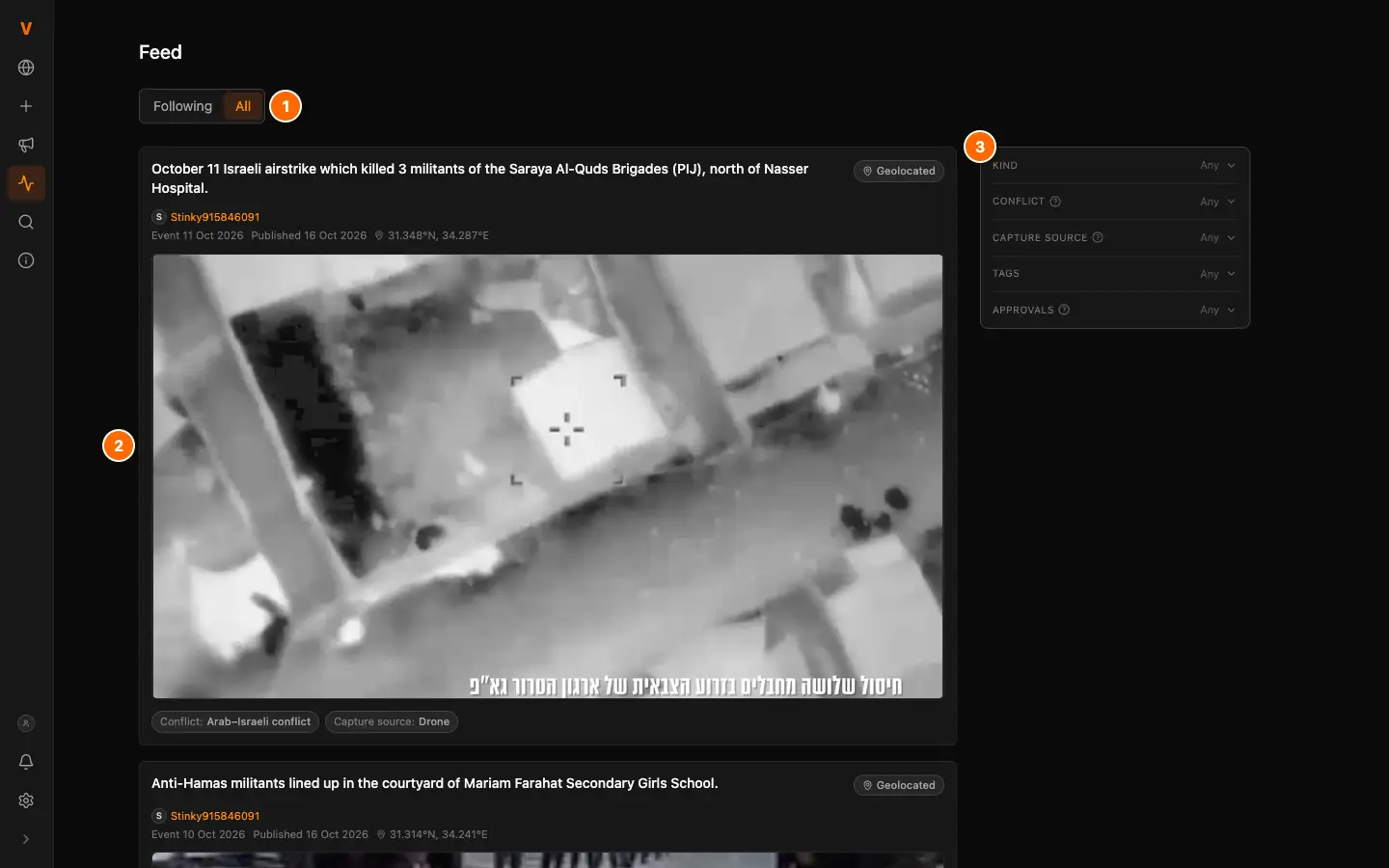
- 1
Following shows the analysts you follow. All shows everyone.
- 2
A new geolocation or request. Click to open it.
- 3
Filters narrow the feed.
Request approval
Ask an analyst or an organization to approve your geolocation.
Co-geolocators
Once you accept an owner's invite, every byline credits you.
Organizations
Members approve in the organization's name.
Your settings
Settings sits at the foot of the rail once you are signed in.
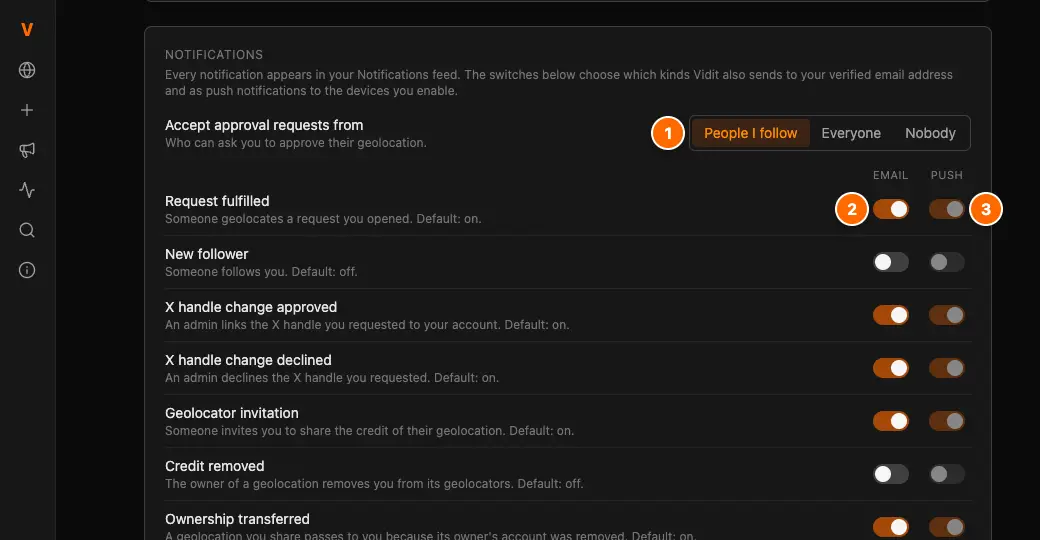
- 1
Who can ask you for an approval.
- 2
The kinds sent to your email.
- 3
The kinds pushed to the devices you enable.
Profile
Your public portfolio: picture, bio and links.
X handle
Request the link the imports need.
Display
Light mode, accent color, question marks.